
Firmware updates that recover: a power-loss test plan
Updated 6 September 2026
A firmware update is not finished when the download reaches 100%. The important question is what the product does if power disappears before the new software has proved it can run.
Build the test plan around a clear outcome: after power returns, the device must run an approved image or enter its documented recovery path. Define that outcome for every update stage, then test the real board and its release configuration.
Sources checked: 6 September 2026. Examples below distinguish MCUboot test/revert behaviour from ESP-IDF application rollback.
Freeze the configuration you are testing
“It uses a bootloader” is not a useful test specification. Record the board revision, flash device, partition map, bootloader build, update mode, signing configuration and application image identifiers. Keep these alongside the test results.
This matters during upgrades. The Zephyr 4.4 migration guide changes the default MCUboot mode for STM32 to swap-using-offset and notes required board-description changes. Separately, MCUboot 2.4.0 release notes include image-size validation and swap-copy fixes. Recheck your actual build; a framework update does not automatically validate the bootloader already installed in a product.
Separate accepting an image from trusting it to run
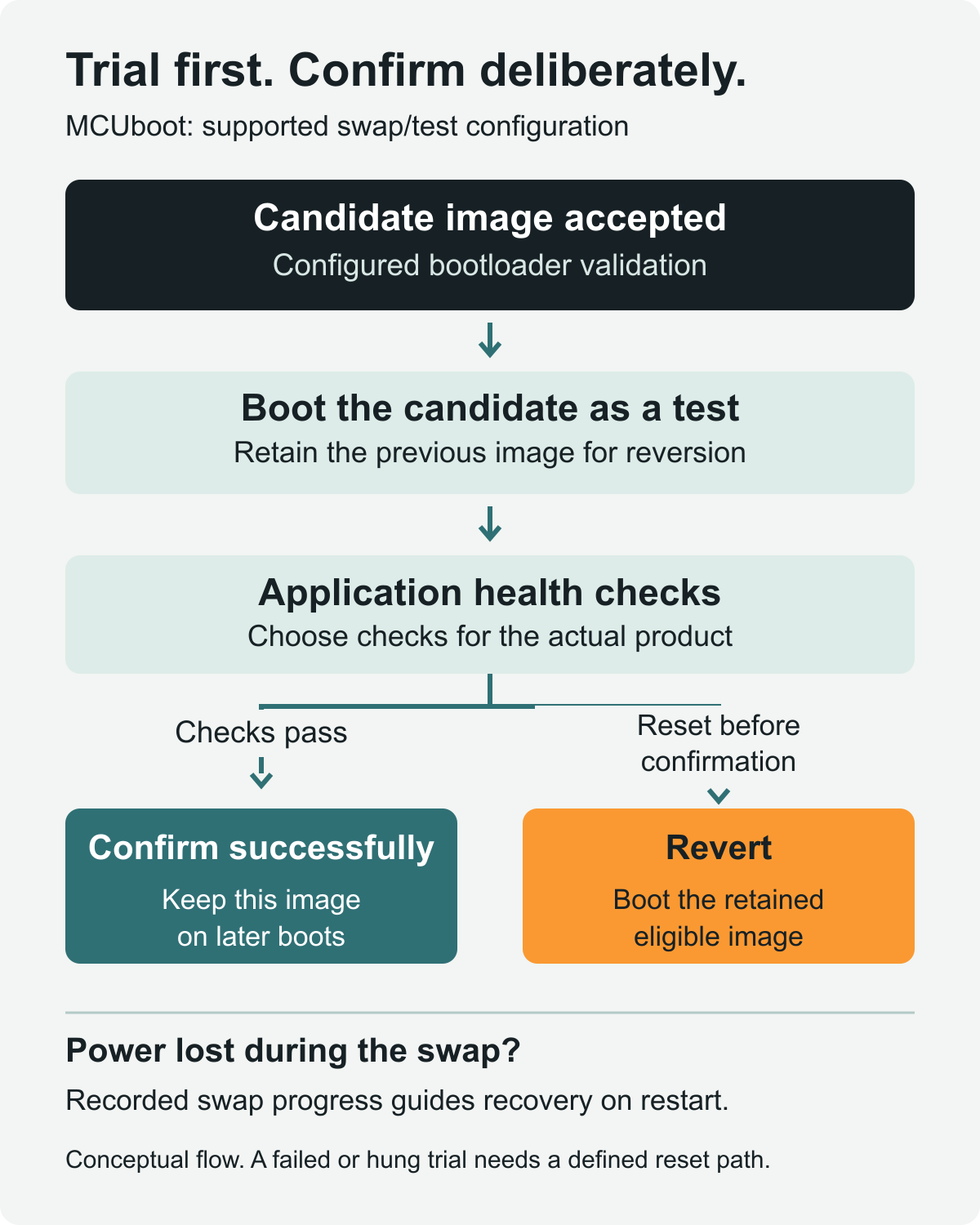
For an MCUboot configuration using a supported swap-based test upgrade, there are two distinct questions: is the image acceptable to the bootloader, and does the application work well enough to keep?
MCUboot records swap progress in flash metadata so an interrupted swap can be resumed after reset. Its swap design also supports trying a new image while retaining the previous one for reversion. Those mechanisms depend on the selected mode and flash layout; do not assume an overwrite-only build has the same recovery behaviour. See the MCUboot design document.
In Zephyr’s MCUboot image-control API, a test upgrade is different from a permanent upgrade. An unconfirmed test image is reverted on the next reset. boot_write_img_confirmed() marks the running image as accepted; check its return value rather than assuming the confirmation was stored.
Make confirmation mean something
Define a short, product-specific health check before confirmation. For a sensor product, that might mean loading its settings, initialising essential peripherals, taking a plausible reading and demonstrating that the main task is responsive. These are example acceptance criteria, not a universal checklist supplied by the bootloader.
A log message saying “started” is weak evidence if the application can hang immediately afterwards. Decide how an unresponsive trial image will be reset and test that path. A bootloader’s next-reset decision does not, by itself, create that reset. If a watchdog is part of the design, include its actual configuration in the test record.
Also decide which checks genuinely require a network connection. Making confirmation depend on an optional cloud service can turn an unrelated outage into a failed acceptance test. Document the intended offline behaviour instead of leaving it to an accidental timeout.
Interrupt the stages, not just the download
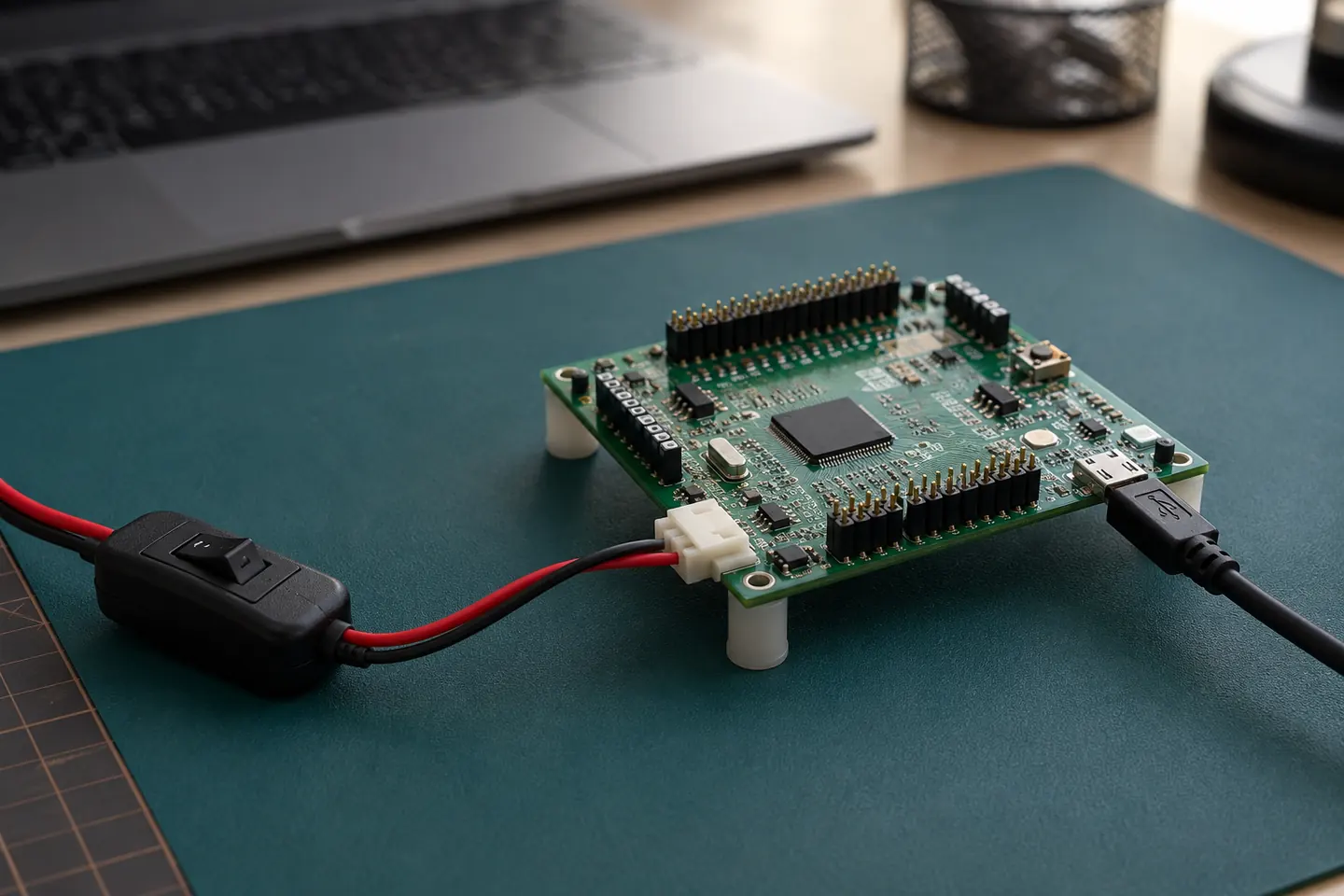
Use a controlled, suitably rated low-voltage fixture on development hardware. Verify that the device actually loses power, including any USB or debugger supply path. Define the off-time and recovery deadline from the target design. Do not improvise by switching exposed mains wiring.
The following is a proposed test matrix. Expected results must be written for the selected bootloader configuration before running it.
- While receiving the candidate: interrupt at several transfer positions. Check that an incomplete image is not treated as a usable update and that another update can be attempted.
- While installing or swapping: target erase/write boundaries where the fixture can do so reliably. Check the documented resume or recovery path after restart.
- During the first application boot: reset before confirmation. For the test/revert configuration described above, verify that the retained image becomes runnable again.
- Around the confirmation write: interrupt on both sides of this boundary. Record which image is selected; do not assume every interruption should produce the same outcome.
- After confirmation: perform a normal power cycle, then attempt another update. Check both continuing operation and future serviceability.
Repeat with the relevant image sizes and hardware variants. One successful interruption is a useful observation, not evidence that every possible interruption has been covered.
Check data and security policy as well
Include settings and calibration in the recovery checks. Do not assume that selecting the previous firmware also restores data changed by the trial application. Test whether the retained version can read the state it actually encounters.
Recovery and security anti-rollback are different policies. For example, the ESP-IDF v6.1 ESP32 OTA documentation makes application rollback conditional on CONFIG_BOOTLOADER_APP_ROLLBACK_ENABLE, which is not enabled by default. Its separate anti-rollback option restricts eligible application security versions. Confirm that your intended recovery image is still eligible; the presence of an older image alone is not enough.
Keep a result someone else can reproduce
For each run, save the starting image, candidate identifier, interruption stage, commanded and observed power timing, boot log, selected image, confirmation state and recovery outcome. Preserve unexpected results, including devices that needed manual intervention.
Before release, check that:
- The exact update mode and partition map are recorded.
- Health checks run before the application is confirmed.
- Power interruption, unconfirmed reset and repeat-update cases have defined outcomes.
- Recovery preserves usable settings and an eligible firmware image.
- Recovery access remains practical on the assembled product.
Bring update recovery into the product plan early. DVAR’s embedded software and automated test services can be discussed together so the firmware behaviour and test requirements are defined as one engineering task. To discuss your project, contact info@dvar.co.uk.